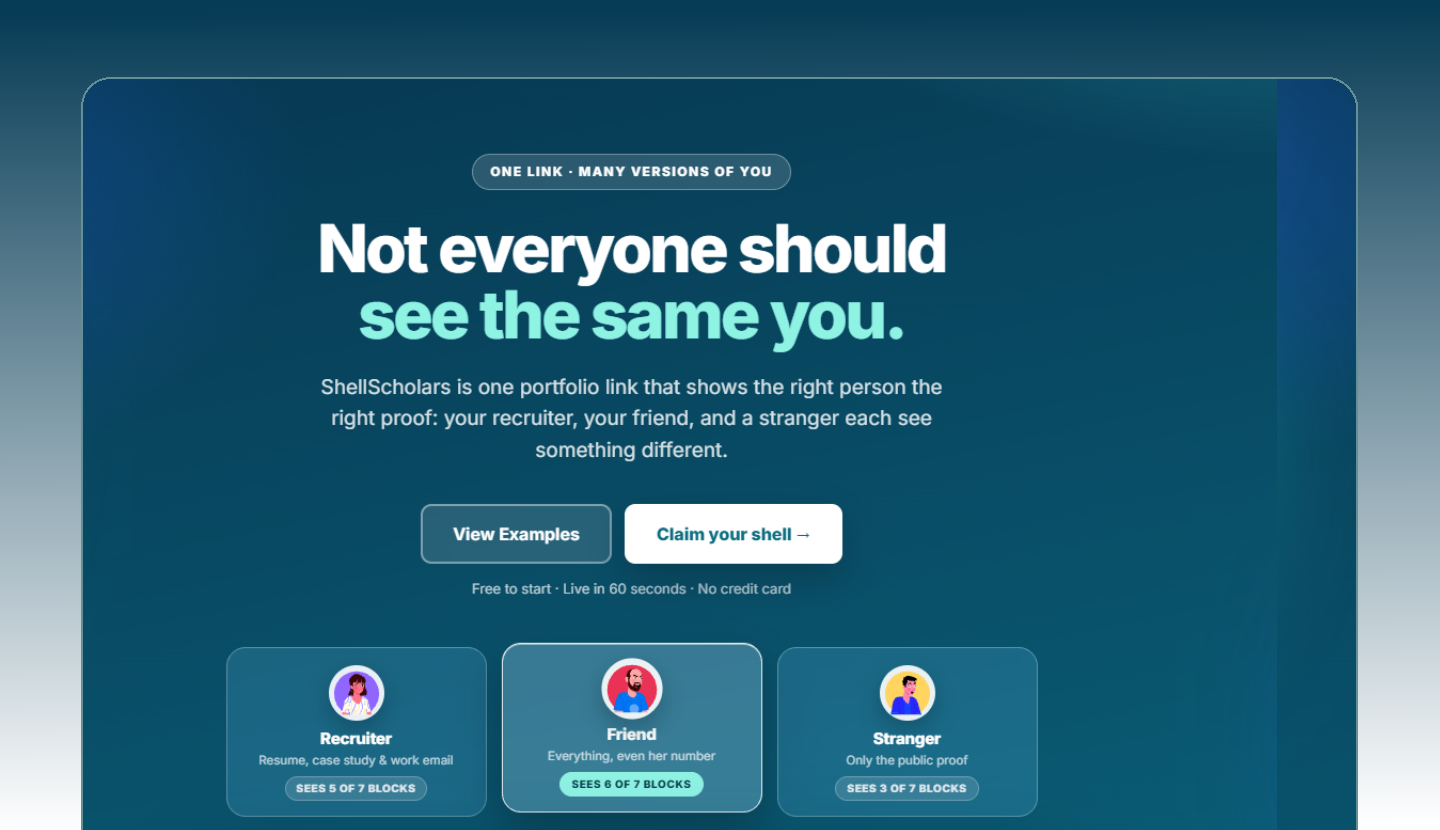
ShellScholars is a portfolio builder. Instead of a static resume or a LinkedIn profile you don't fully control, you get one link - your shell - that shows the right person the right proof.
A recruiter, a friend, and a stranger can each open the same URL and see a version tailored to them. One link · many versions of you.
Why it exists
Every tool people use to represent themselves fails at the same job: none of them let you control what a specific audience sees. A recruiter, a client, and a curious stranger arrive with different questions - and today you answer all of them with the same page.
Role
• Product
• Design
• Frontend
• Database
Duration
Ongoing - building in public
Team Members
Mayuresh Mule
1. The problem, four ways
Each existing option breaks somewhere different - and the break is always the same shape: you cannot decide what a given reader sees.
Resume
Static
One file, one version, sent to everyone
Out of date the moment you send it
No way to show working proof - only claims about it
LinkedIn
Not yours
You don't own the design, layout, or ordering
Everyone sees the same profile
Depth gets flattened into buzzwords
Personal site
Expensive
Real time and skill cost to build
Rots the moment you stop maintaining it
Still one page for every audience
A shell
Selected
One durable link you own
Per-block audience control
Design upgrades arrive on their own
The reframe
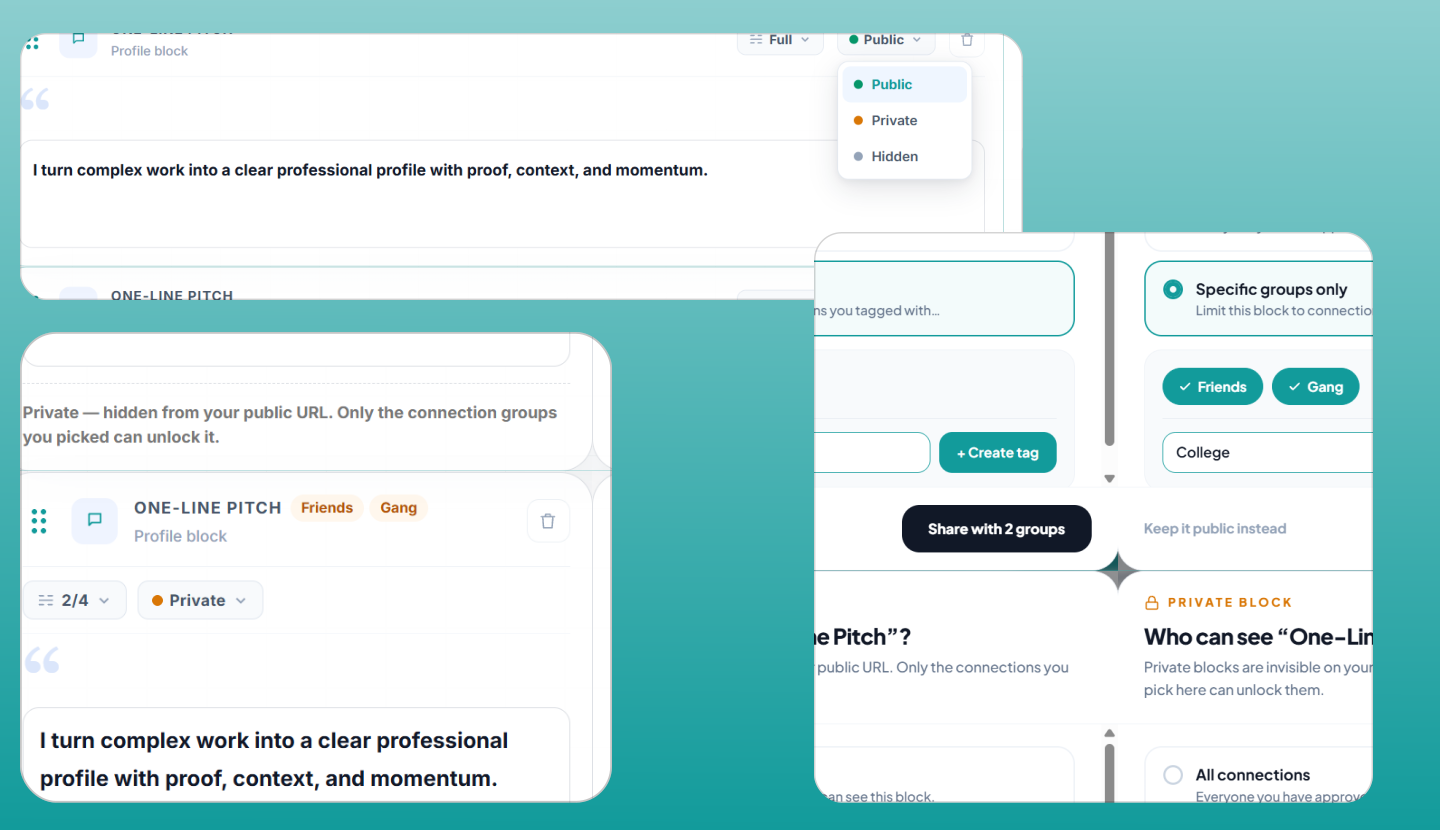
A portfolio isn't a page - it's an answer to a question, and different readers arrive with different questions. So visibility belongs on the smallest unit of content (the block), not on the page. That single decision is what makes one link able to be many versions of you.
2. The 0 to 1 flow
Signup to shared link, with no blank canvas anywhere in the path.
1
Claim your shell
Google or a passwordless magic link. No password to set.
0 friction
2
Onboard in 2 steps
Name, location, and a public URL checked live for availability.
Suggested slug
3
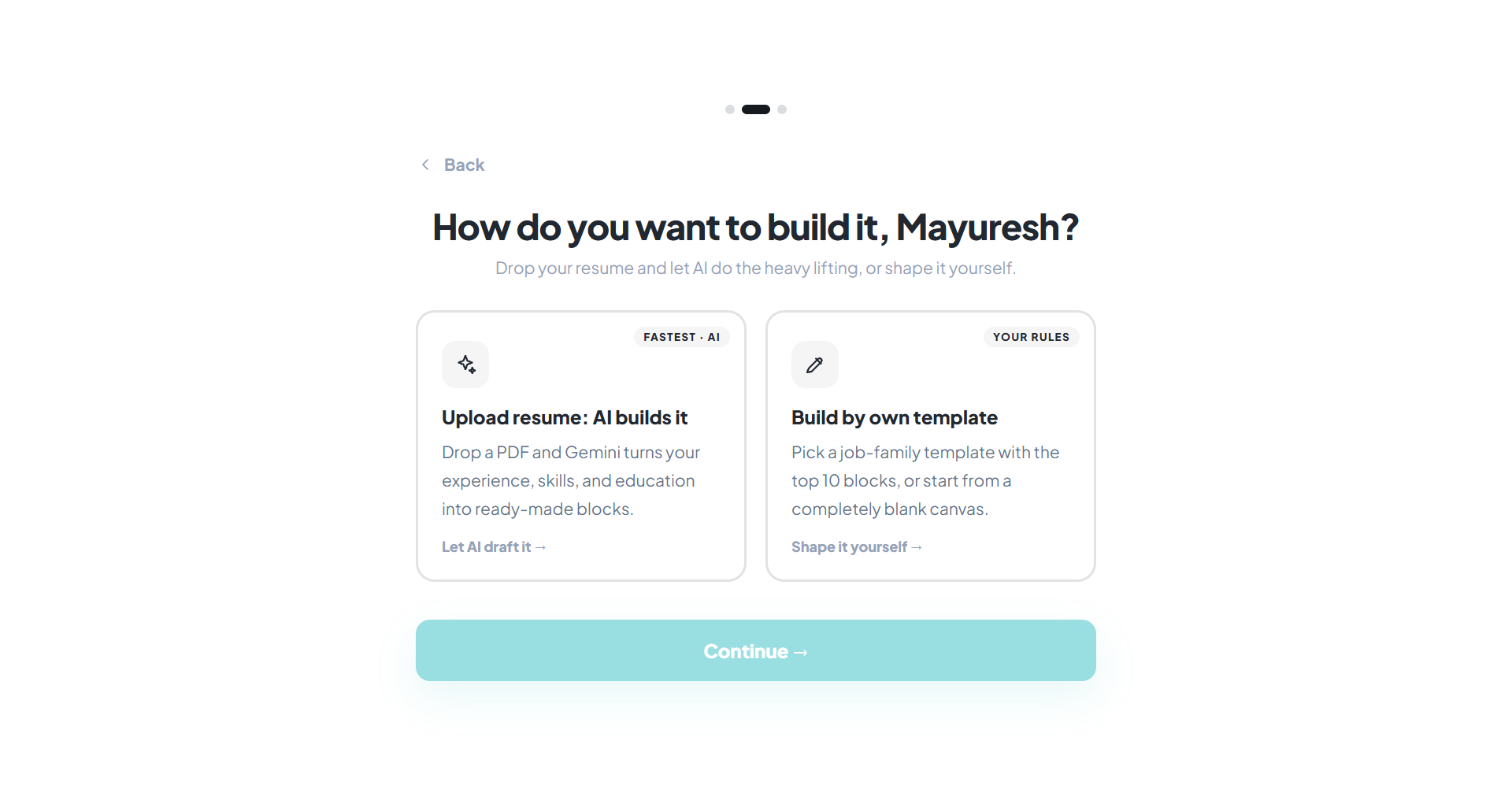
Seed the content
Upload a resume and let AI build it, pick a discipline template, or start blank.
Never a blank page
4
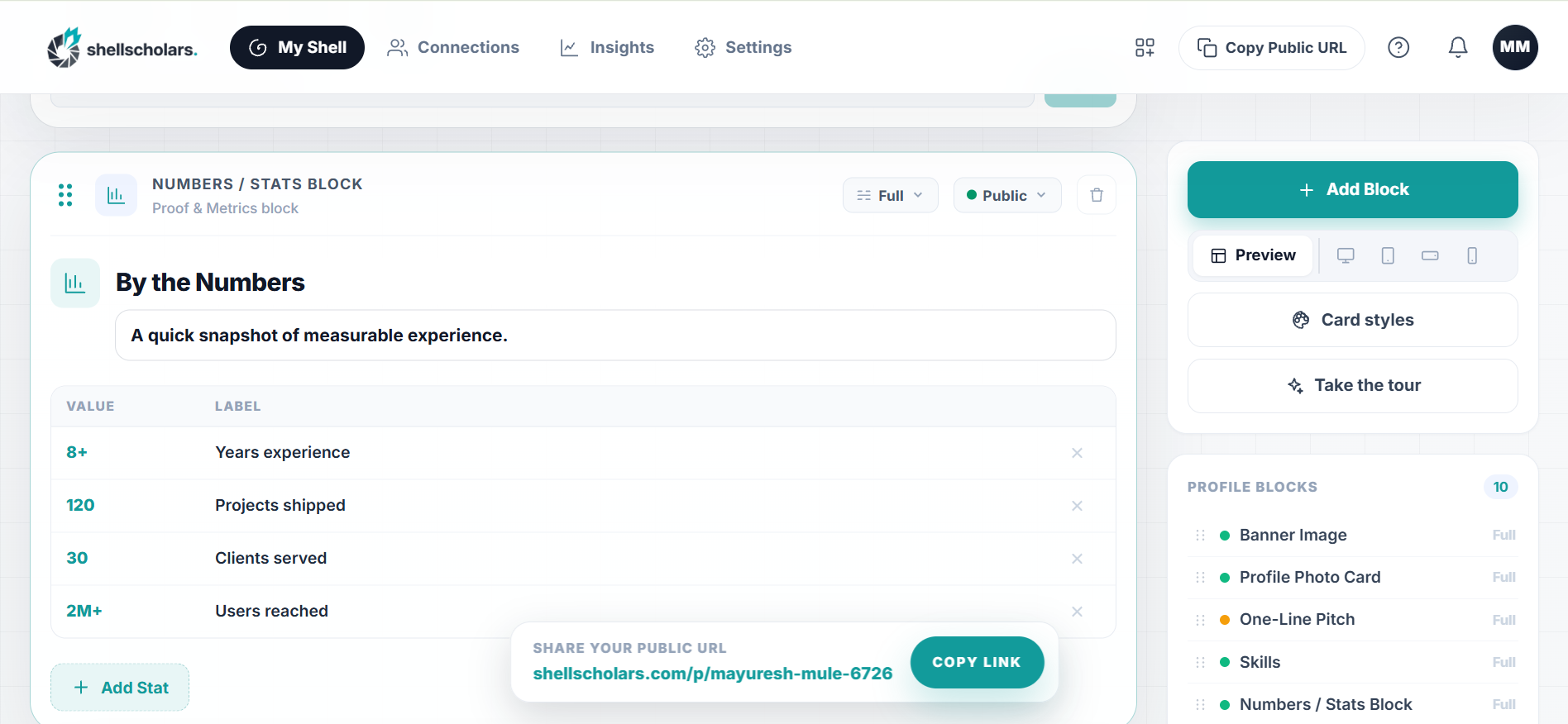
Edit in place
Add, reorder, and edit blocks on your live page. Set per-block visibility.
Publish on save
5
Share one link
The same URL for everyone. Approved connections unlock reserved blocks.
One surface
6
Learn from it
Insights show how the shell is viewed; requests ask for deeper access.
Feedback loop
Click to expand
// Import is an accelerator, not an authority - the parser drafts, the user confirms.
3. Five nouns the whole product runs on
Keeping this vocabulary tight is what keeps the UI teachable.
Term
What it means
Shell
Your portfolio and its single public link. You can have more than one.
A per-block setting: Public, Connections-only, or Hidden.
Connection
Someone you approved to see your restricted blocks.
Insights
Analytics on how your shell is being viewed.
4. What each audience gets from the same URL
Visibility is a property of every block, so the page composes itself around the reader.
Public
Anyone
Banner, bio, headline projects
Public metrics and testimonials
Enough proof to decide whether to ask for more
Connections
Approved
Everything public, plus reserved blocks
Detailed case studies, salary or client context, references
Unlocked by an approval you control, one person at a time
Hidden
Nobody
Drafts and work in progress
Content parked for a future audience
Still yours, still on the shell, simply not rendered
Click to expand
// Same link, two readers, two pages.
Click to expand
// You always edit the live page; Save publishes and writes a change log entry.
5. Who it's for
Anyone who needs to prove what they've done and control who sees it.
T
The career-switcher
Primary wedge
Who
Has real work across disciplines, but a resume that reads like someone else's job history.
Core need
Show the proof that doesn't fit a resume line, to the one recruiter who will care.
Control they keep
Keeps the old-career detail hidden without deleting it.
T
The builder / freelancer
Second wedge
Who
Ships constantly; the work lives across GitHub, Figma, Notion, and five dead links.
Core need
One durable URL that survives every job change and client.
Control they keep
Client-specific proof reserved for approved connections.
1 LINK
ONE SURFACE
A single durable URL replaces the resume, the profile, and the scattered project links.
3 MODES
PER-BLOCK VISIBILITY
Public, connections-only, or hidden - the same link renders a different version of you.
~10
STARTER BLOCKS
Discipline templates seed a curated starter shell, so the blank page is never the first screen.
0 to 1
SOLE OWNER
Product, design, frontend, and database - built end to end on Nuxt and Supabase.
6. Trade-offs I made
Four calls that shaped everything downstream.
Edit in place, not a separate builder view
Trade-off
A preview mode would have been simpler to build and safer to ship.
Why
Splitting "edit" from "see" is exactly what makes portfolio tools feel heavy. You edit the live page and publish on Save.
Blocks, not a free-form canvas
Trade-off
Less creative freedom for the author.
Why
Constrained blocks keep every shell legible and let me upgrade the design system underneath without touching anyone's content.
AI import is an accelerator, not an authority
Trade-off
An extra confirmation step between upload and a finished shell.
Why
Treating extraction as truth makes the first impression wrong in a way people don't come back from.
Visibility per block, not a second private page
Trade-off
More state to design and explain per block.
Why
Audience control on the page level just means maintaining two portfolios again - the exact problem this replaces.
7. Shipped, and what's next
Shipped
Identity and onboarding
Passwordless auth, live slug availability, discipline templates, and AI resume import.
Shipped
The block editor
Drag-and-drop editing on the live page, per-block visibility, publish-on-save with a change log.
Shipped
Connections and insights
Connection requests and approvals that gate restricted blocks; analytics on how a shell is viewed.
Next Planned
Insights that name the block, not the visit
Which blocks actually carry a visit - the signal that tells someone what to write more of.
Next Planned
Richer connection flows
Requesting and granting access should feel social, not administrative.
Next Planned
More block types, seeded by discipline
Plus continued design upgrades that roll out to existing shells without asking anyone to rebuild.
What I'm taking away from it
Owning every layer - product, design, frontend, and database - means every scope decision is also an engineering decision. The hardest part of ShellScholars hasn't been building blocks; it's been deciding what the product refuses to do, so the thing it does do stays sharp: give one person one link that tells the right story to the right reader.